> For the complete documentation index, see [llms.txt](https://docs.meta-inf.hu/email-this-issue/llms.txt). Markdown versions of documentation pages are available by appending `.md` to page URLs; this page is available as [Markdown](https://docs.meta-inf.hu/email-this-issue/advanced-edition/enhanced-email-operation-dashboard/enhanced-incoming-dashboard.md).
# Enhanced Incoming Dashboard
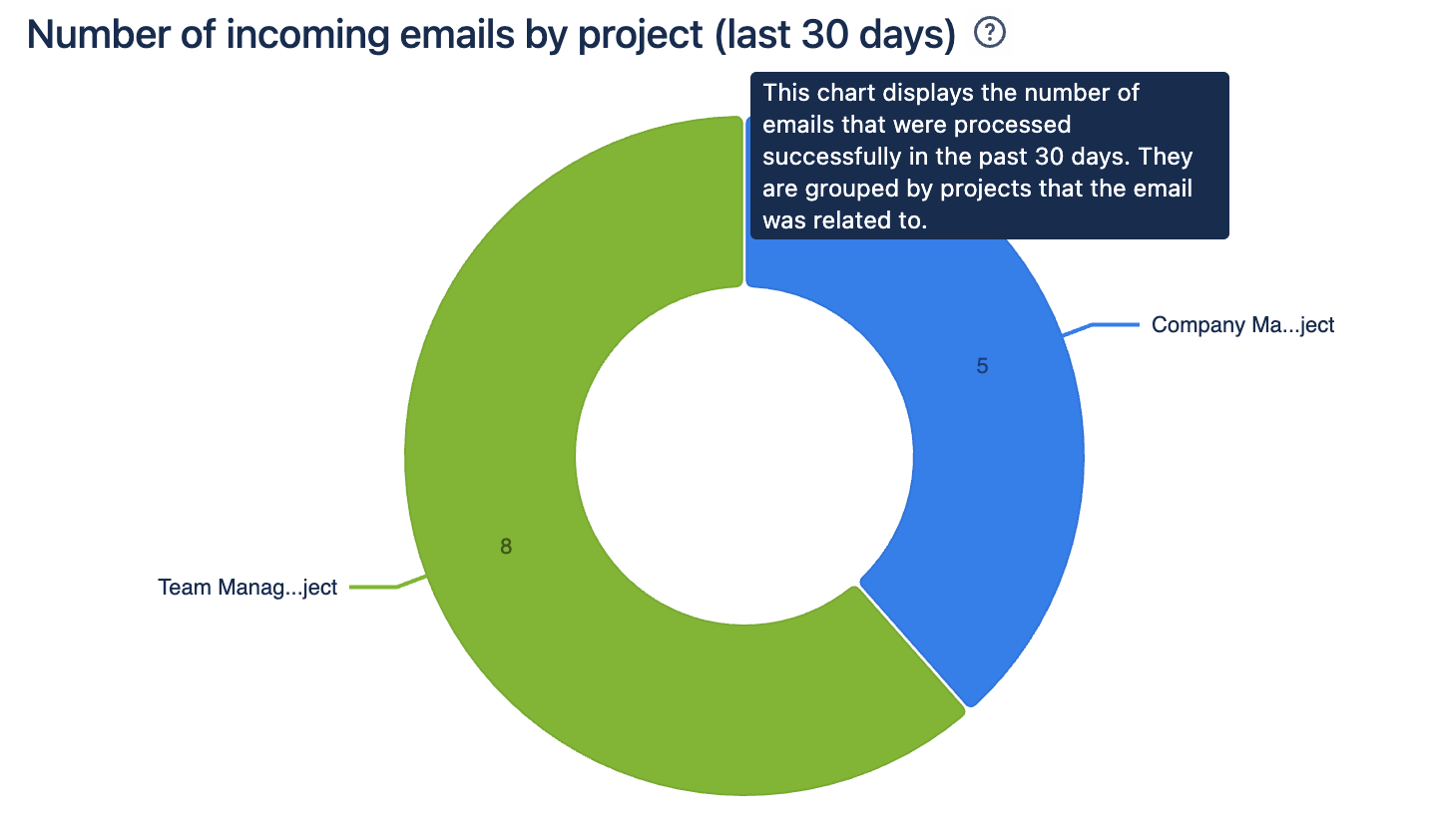
### Incoming Emails by Projects
This chart displays the number of processed emails by projects.
**Benefit**: it helps identify the email critical projects adn the email traffic in them.
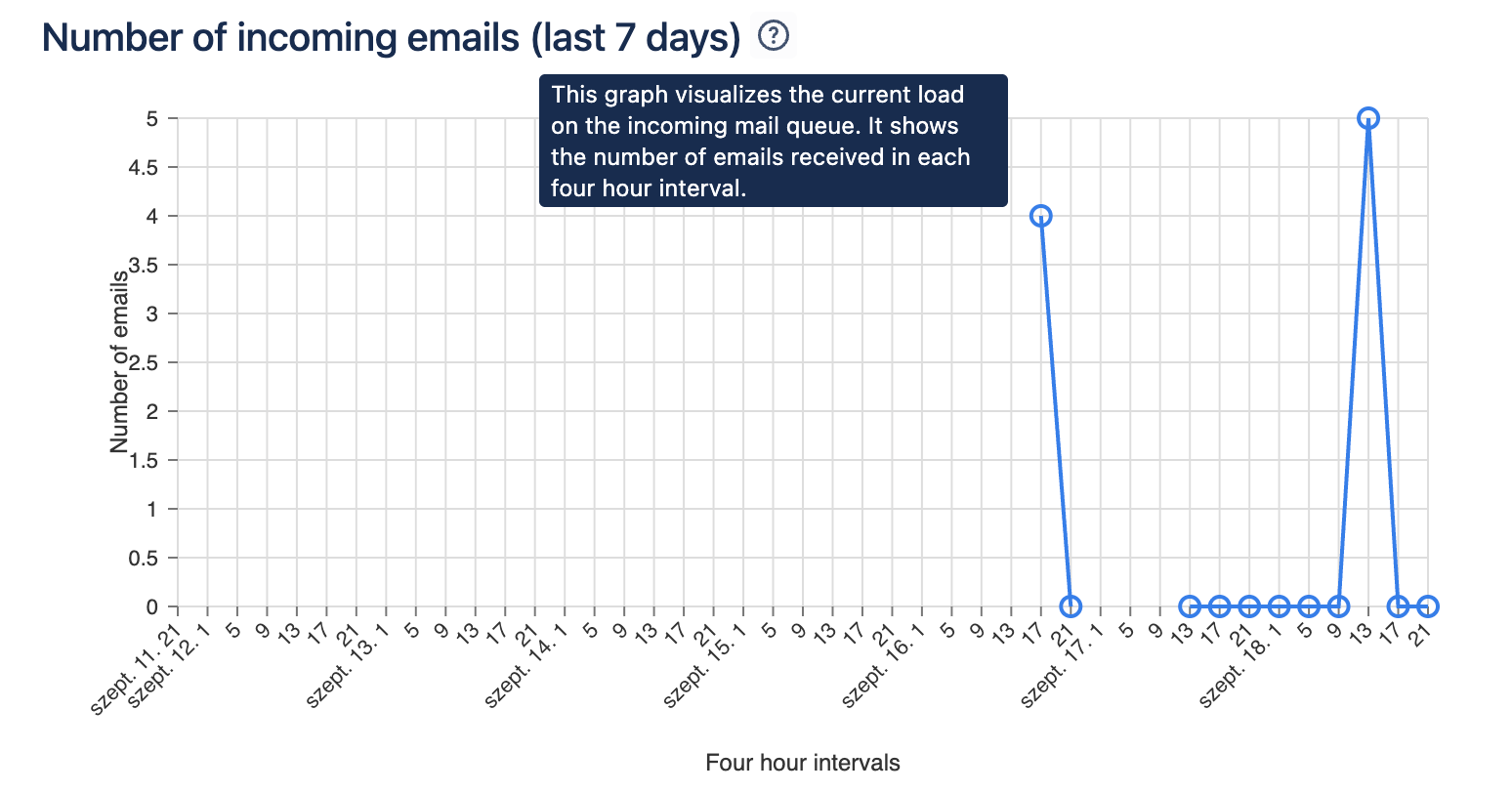
### Volume of Incoming Emails
This chart reflects the number of emails received in a four-hour window, based on emails sent in the past seven **days**.
**Benefit**: This chart helps understand the busy times of the day. Peak loads may make email processing slower, and high loads may correlate to the Processing Time chart.
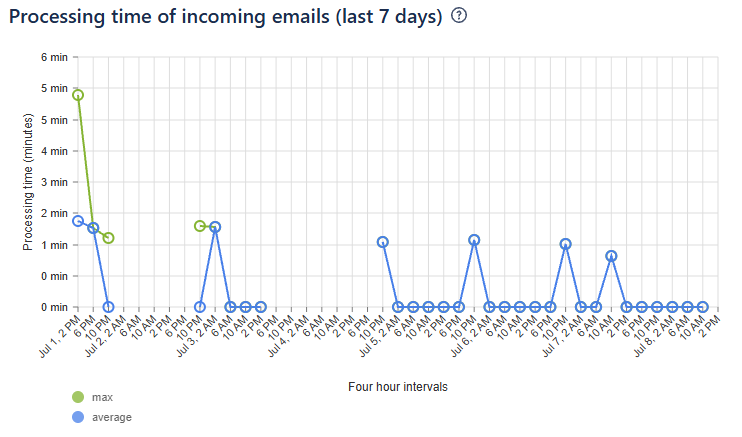
### Processing Time of Incoming Emails
This graph shows the maximum and average processing times for the last seven days in four-hour intervals. This is the total processing time, including polling, email download and mail handler execution. The measurement starts from when the email arrives at the mail server until the last mail handler finishes.
**Benefit**: This chart (along with the Volume of Incoming Emails) helps understand peak times of the day and troubleshoot problems with email processing.
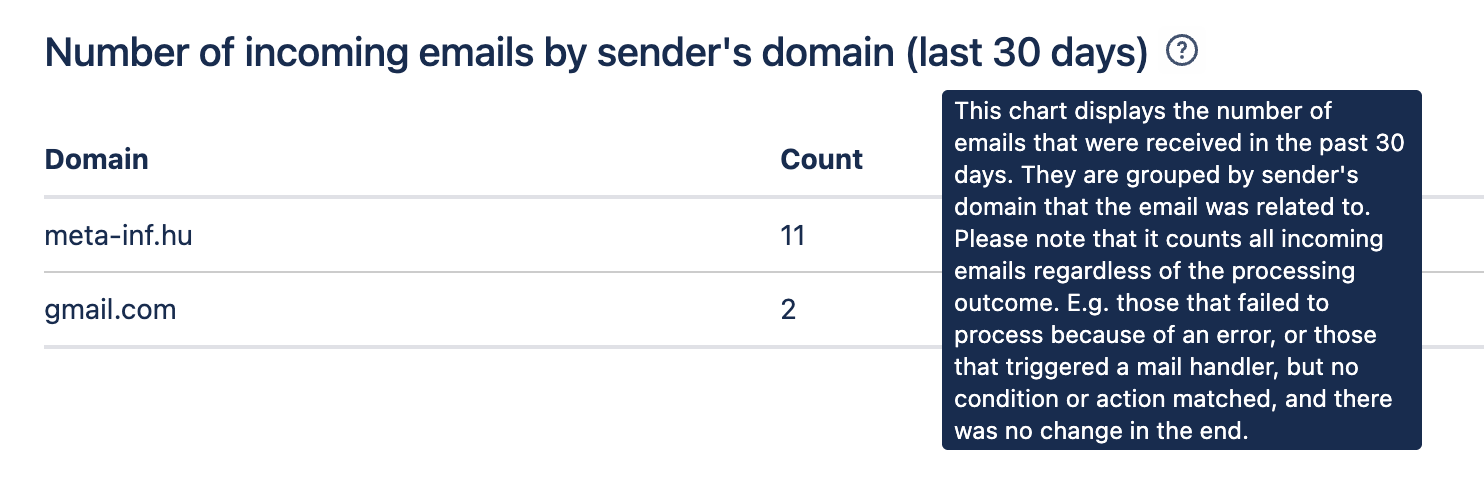
### Incoming Emails by Sender's Domain
This chart identifies the domains from which emails are received for processing.
**Benefit**: It helps identify unwanted senders, and active domains.
### Volume of Emails Failed to Process
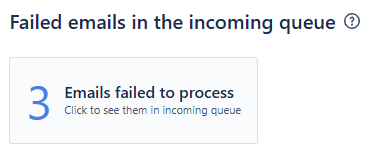
This metric is about the number of emails that encountered an error when the system tried to process new incoming emails, and the mail handler failed to process it.